USD
USD
How to set zero point on GSK GR-L Servo driver?
Video on Youtube
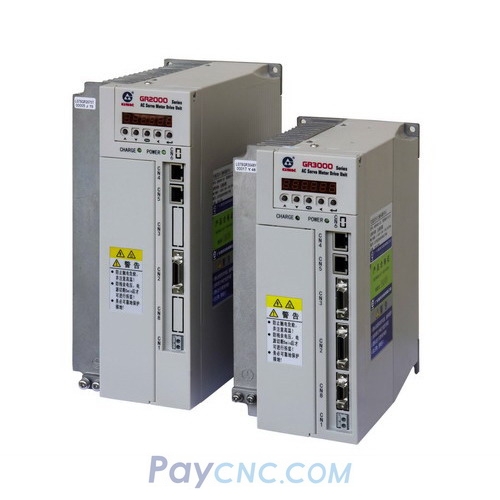
How to set zero point on GSK GR-L Servo driver for Servo Motor with Absolute encoder?
Zero-Point Calibration for GSK GR Series Absolute Servo Motor Encoders
This calibration procedure covers the standard parameter configuration logic for GSK GR series 17-bit and 23-bit bus-type servo encoders.
Required equipment includes a GR series servo drive and the corresponding servo motor; ensure the encoder is installed and wired securely, and connect the network port jumper to prevent communication alarms.
Upon power-up, alarms 49 and 67 will appear; clear these alarms by modifying the PA parameters, entering the corresponding password, and matching the motor ID.
Enter the calibration password, configure the calibration mode parameters, access the encoder adjustment menu to perform positioning, and finally modify the parameters to save the settings.
Test the motor's operational stability using the self-rotation mode, and confirm successful calibration by executing an abrupt stop from 200 RPM.
The parameter modification steps and corresponding passwords are clearly indicated throughout the procedure.
Paycnc offers different kinds of servo motor, servo driver and encoders
If you could not find the exact model, you can send item photos and its nameplate to paycnc@paycnc.com to get quotation.
How to set zero point on GSK GR-L Servo driver for Servo Motor with Absolute encoder?
Zero-Point Calibration for GSK GR Series Absolute Servo Motor Encoders
This calibration procedure covers the standard parameter configuration logic for GSK GR series 17-bit and 23-bit bus-type servo encoders.
Required equipment includes a GR series servo drive and the corresponding servo motor; ensure the encoder is installed and wired securely, and connect the network port jumper to prevent communication alarms.
Upon power-up, alarms 49 and 67 will appear; clear these alarms by modifying the PA parameters, entering the corresponding password, and matching the motor ID.
Enter the calibration password, configure the calibration mode parameters, access the encoder adjustment menu to perform positioning, and finally modify the parameters to save the settings.
Test the motor's operational stability using the self-rotation mode, and confirm successful calibration by executing an abrupt stop from 200 RPM.
The parameter modification steps and corresponding passwords are clearly indicated throughout the procedure.
Paycnc offers different kinds of servo motor, servo driver and encoders
If you could not find the exact model, you can send item photos and its nameplate to paycnc@paycnc.com to get quotation.