USD
USD
How to Set the Reference Point on a FANUC System?
How to Set the Reference Point (Home Position) on a FANUC System
Video on Youtube
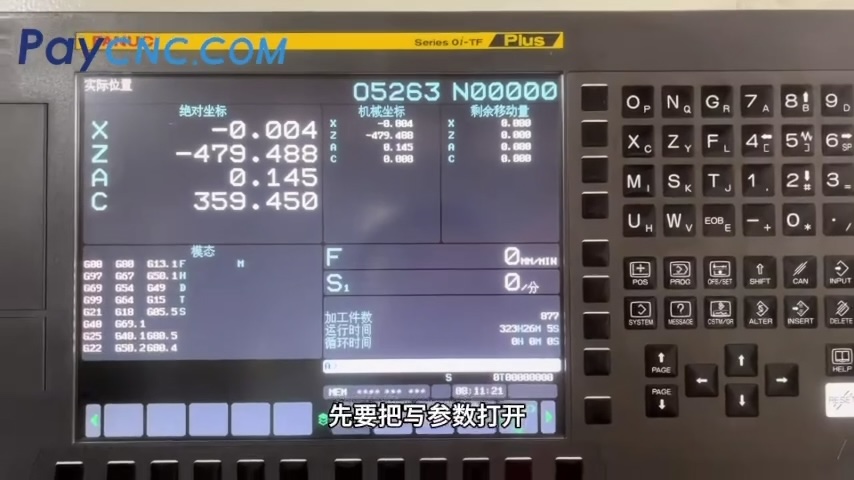
The following steps can be performed directly using the FANUC system control panel; no additional theoretical background is required.
Switch the system to MDI mode. Locate the "Parameter Write" (PWE) setting via the corresponding key, change its value to 1, and confirm to enable parameter modification.
Access the parameter screen and search for parameter 1815. Change the APZ bit for the target axis (e.g., the X-axis) to 0, then power off the machine.
Power the machine back on and switch to Manual Pulse Generator (MPG/Handwheel) mode. Move the target axis to the desired position. Switch back to MDI mode, locate parameter 1815 again, change the APZ bit for the target axis back to 1, and confirm.
Power the machine off and then back on for the changes to take effect.
Paycnc offers different kinds of Fanuc spare parts
If you could not find the exact model, you can send item photo and its nameplate to paycnc@paycnc.com to get quotation.
#referencepoint #fanuc
Video on Youtube
The following steps can be performed directly using the FANUC system control panel; no additional theoretical background is required.
Switch the system to MDI mode. Locate the "Parameter Write" (PWE) setting via the corresponding key, change its value to 1, and confirm to enable parameter modification.
Access the parameter screen and search for parameter 1815. Change the APZ bit for the target axis (e.g., the X-axis) to 0, then power off the machine.
Power the machine back on and switch to Manual Pulse Generator (MPG/Handwheel) mode. Move the target axis to the desired position. Switch back to MDI mode, locate parameter 1815 again, change the APZ bit for the target axis back to 1, and confirm.
Power the machine off and then back on for the changes to take effect.
Paycnc offers different kinds of Fanuc spare parts
If you could not find the exact model, you can send item photo and its nameplate to paycnc@paycnc.com to get quotation.
#referencepoint #fanuc