USD
USD
FANUC SYS_ALM426 SERVO WATCH DOG ALARM
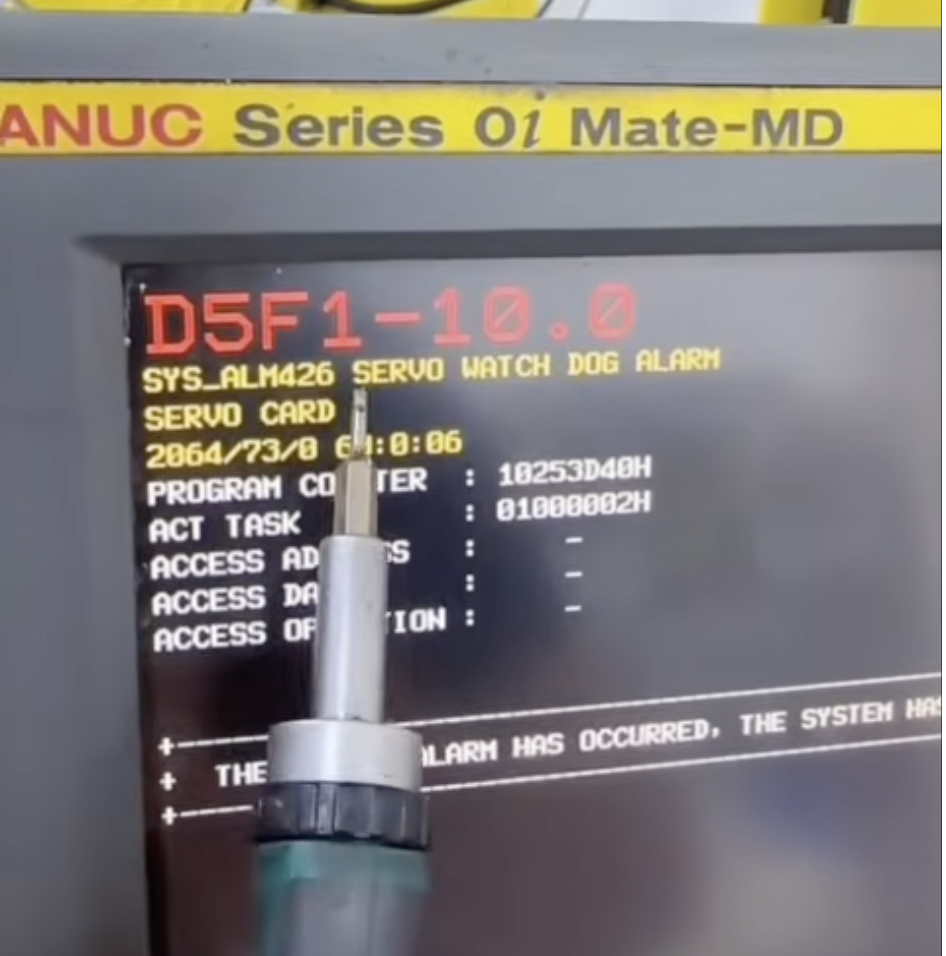
FANUC SYS_ALM426 SERVO WATCH DOG ALARM
Video on Youtube
A FANUC MD main unit axis card watchdog fault can be diagnosed and repaired by following specific steps.
Upon startup, error code 426 (axis card watchdog fault) appears, and an indicator light on the back of the mainboard flashes; the fault originates from a damaged axis card connected to the fiber-optic interface.
Axis card faults are often caused by cold solder joints on chips or broken traces beneath them, requiring chip removal, re-balling, and rewiring; technicians advise against using alcohol to clean these circuit boards, recommending specialized PCB cleaner instead.
The axis card shows signs of previous repair attempts, and the whitish discoloration on the mainboard is the result of the customer cleaning it with alcohol. The video clarifies the root cause of the fault and the repair approach.
Upon startup, the main unit displays error code 426: axis card watchdog fault.
Inspection reveals the axis card fault (indicated by a flashing light on the back of the mainboard) and shows that the axis card has been previously repaired.
Disassembly involves loosening screws to open the mainboard and locating the axis card connected to the fiber-optic interface.
Analysis identifies the cause as cold solder joints or broken traces on the chip, with the whitish discoloration resulting from the customer's use of alcohol for cleaning.
Repair involves removing the chip, re-balling it, and reconnecting any broken traces.
Paycnc offers different kinds of Fanuc spare parts
If you could not find the exact model, you can send item photo and its nameplate to paycnc@paycnc.com or WhatsApp us to get quotation.
#SYS_ALM426 #fanuc